Billing and plans
What each plan includes, how to change it, and what to expect near a limit.
On this page
Plans at a glance#
Cadrix Cloud has three self-serve plans, and Enterprise for on-premises or private deployment. For current prices, see the pricing page.
| Starter | Pro | Team | Enterprise | |
|---|---|---|---|---|
| Members | 1 | 3 | 50 | Per agreement |
| Workflows | 5 | 50 | 200 | Per agreement |
| Runs per month | 1,000 | 20,000 | 100,000 | Per agreement |
| Storage | 50 MB | 5 GB | 20 GB | Per agreement |
| Log history | 30 days | Unlimited | Unlimited | Unlimited |
| Custom roles | No | No | Yes | Yes |
| Single sign-on and access history | No | No | No | Yes |
| Support | Community | Priority email | SLA |
Starter is free. Enterprise is delivered on your own infrastructure or a private deployment, and its limits are agreed with you. Contact us to discuss it.
See your plan and usage#
Open Govern → Plan & billing. Every member can see it. The page shows:
- Current plan, with its status, and either its renewal date (Renews on a date) or, for a plan that has been cancelled, Access continues until a date, then moves to Starter.
- Usage bars for members, workflows, runs and storage against the plan's limits.
- Compare plans, with a Monthly or Yearly switch.
How usage is counted#
- Members
- The people in your organisation. A new person cannot be added past the limit.
- Workflows
- The workflows in your organisation. A new one cannot be created past the limit.
- Runs
- Runs per calendar month. The count resets every month. It is shown as Runs reset every month on the Plan & billing page.
- Storage
- Files that Cadrix stores for you, such as files uploaded to a workflow. Shown in MB or GB.
Upgrade#
Only the organisation's owners and admins can change the plan. Everyone else sees a note saying so.
Open Govern → Plan & billing.
Choose Monthly or Yearly, then Upgrade to Pro or Upgrade to Team.
Cadrix opens a secure checkout page hosted by Polar, our payment provider. Enter your payment details there. Cadrix does not see them.
When payment goes through you return to the app, and the page says Thanks, your payment went through. Your plan changes as soon as the payment is confirmed. If it does not change straight away, wait a minute and reload the page.
If you started from the pricing page before you had an account, the Plan & billing page remembers your choice and shows Finish setting up with a Continue to checkout button.
Polar acts as the merchant of record, which means it handles sales tax and VAT and issues the invoices.
Manage or cancel billing#
Choose Manage billing. It opens Polar's customer portal, where you can update your payment method, see invoices and manage the subscription. If you cancel, you keep your plan until the end of the period you paid for, and then your organisation moves to Starter.
If a payment fails, the page shows Your last payment failed. Update your payment method in the portal.
When you reach a limit#
Cadrix checks limits at the moment you try to go past them.
| Limit | What happens |
|---|---|
| Members | You cannot add or invite another person. |
| Workflows | You cannot create another workflow. |
| Runs per month | New runs are refused until the month resets or you upgrade. |
| Storage | New files are refused until you free space or upgrade. |
| A feature your plan does not include | The feature is locked, and a message names the plan that includes it, for example Custom roles is available on the Team plan and above. |
In the app, a dialog tells you which limit you reached, for example Your Starter plan includes 1,000 runs this month, and you have reached it, with a way to upgrade. Over the API, the call returns HTTP status 402 with "code": "PLAN_LIMIT_REACHED" and the resource that hit the limit, or status 403 with "code": "PLAN_FEATURE_LOCKED" for a locked feature.
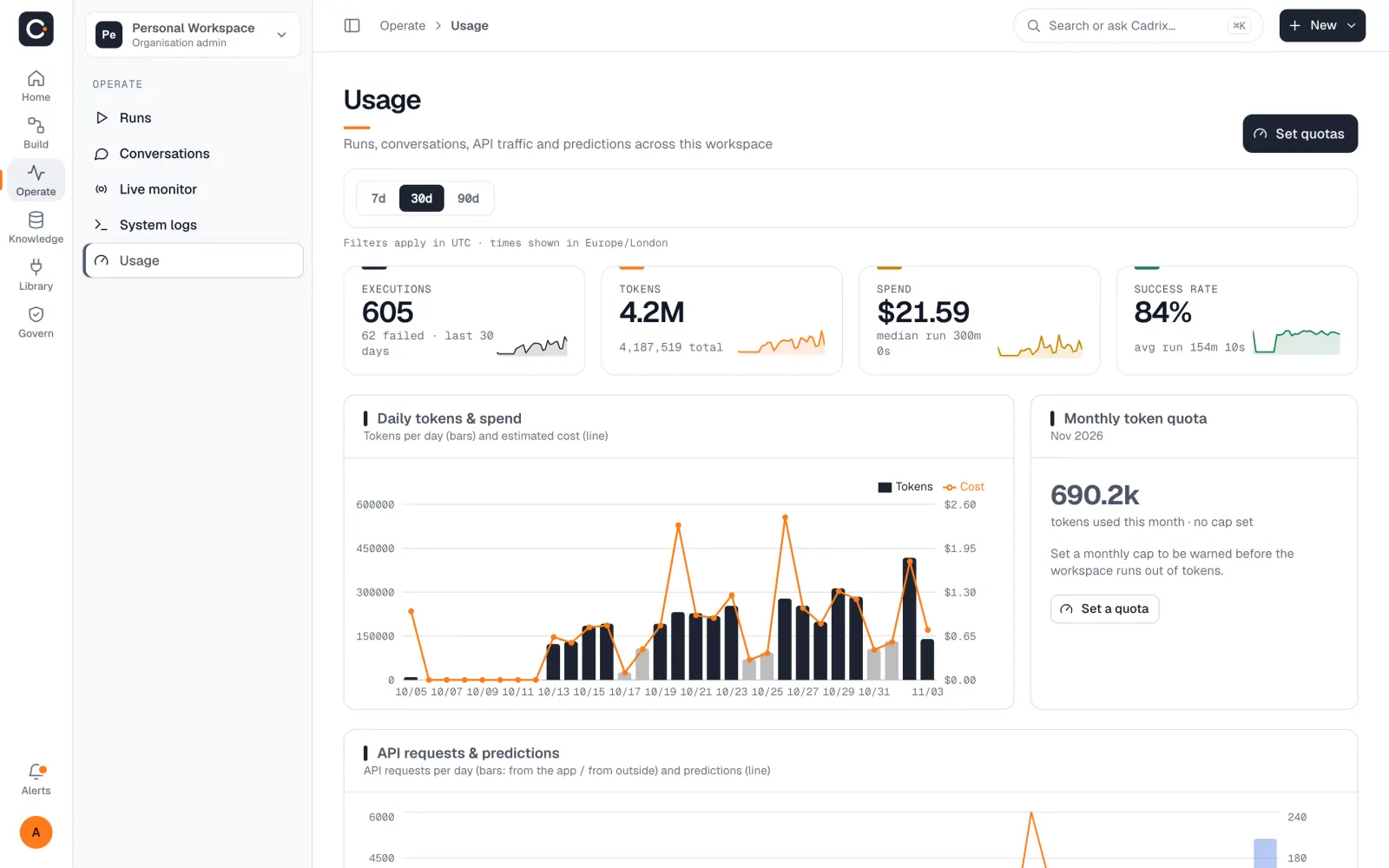
Open Operate → Usage to see which workflows use the most. A workflow on a frequent schedule uses many runs. Lengthen its interval, or set the workflow to Inactive.
For help choosing a plan, or if something about your billing looks wrong, email hello@cadrixflow.com.